
Sending money to Madagascar via Western Union is now simple, fast, and accessible thanks to mobile wallets like Airtel Money, Mvola, and Orange Money.
Here are the steps to follow to make a successful transfer.
Step 1: Registration
The sender must first create a Western Union account (if not already done) or log in to their existing account via the app or official website.
Step 2: Choose destination and amount
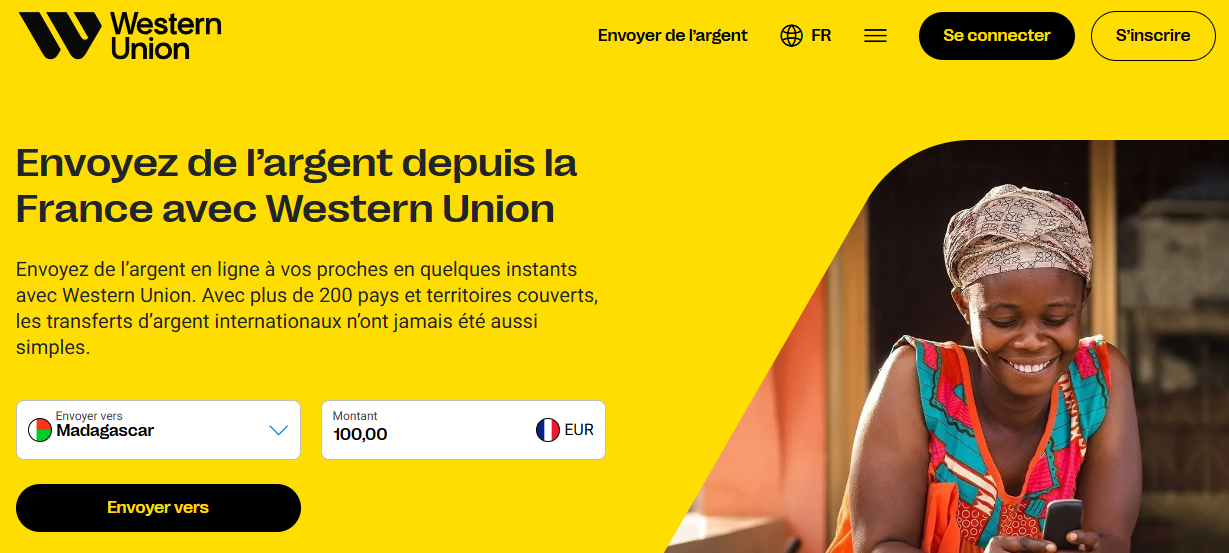
- Select the destination country: Madagascar
- Enter the amount to send
- Click on the "Send to" button
Step 3: Select receiving method
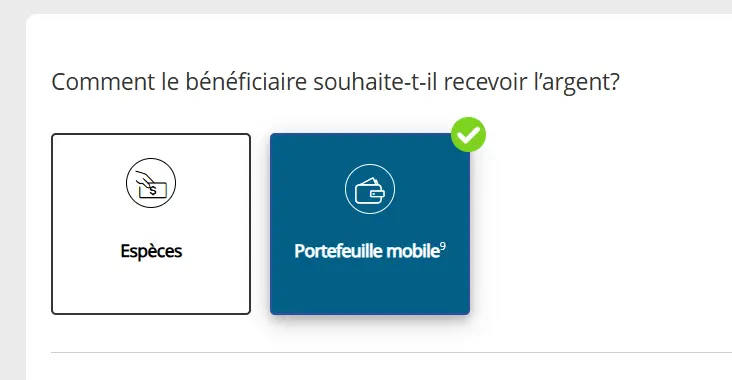
On the Western Union home page:
- Choose the "Mobile Wallet" option
Step 4: Choose the mobile wallet
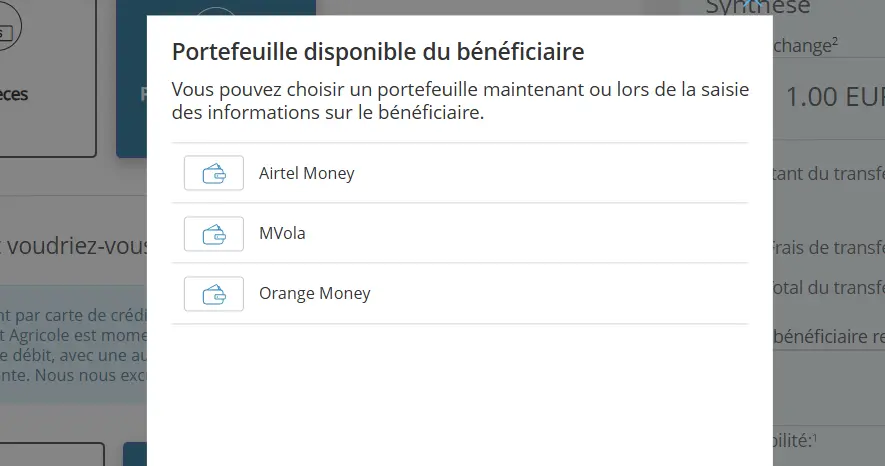
Select the beneficiary's mobile service:
Airtel Money
Mvola (Telma)
Orange Money
Step 5: Choose payment method
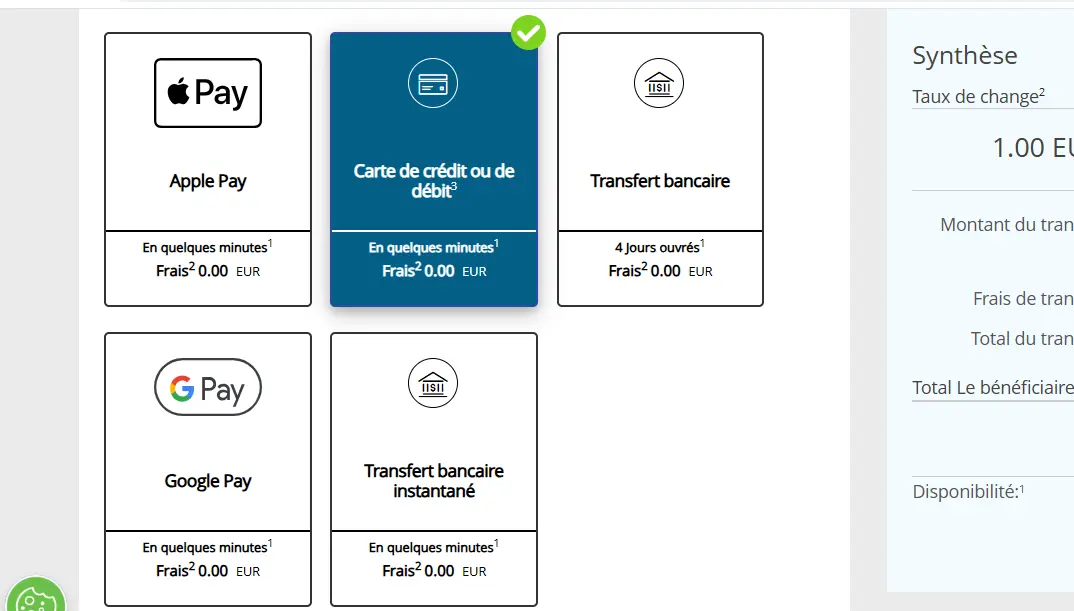
In the "How would you like to pay?" section, the sender can choose:
- Debit or credit card
- Apple Pay
- Google Pay
- Bank transfer
- Instant transfer (subject to availability)
Step 6: Confirmation and sending

- Verify all information
- Click on "Continue"
- Confirm the transfer
Once validated, the money is sent and credited directly to the beneficiary's mobile wallet in Madagascar.
Conclusion
Thanks to Western Union and mobile money services, sending money to Madagascar has become fast, secure, and entirely digital. In just a few minutes, the beneficiary can receive and use the funds directly from their phone.